How Much Are My Pokémon Cards Worth? How to Check Pokémon Card Values
Find out what your Pokémon cards are worth in seconds. Learn what makes a card valuable, where prices come from, and how to check the value of a single card or your whole collection with EvoScan.

Most Pokémon cards are worth a few cents, and a few are worth more than everything else in the box put together. The hard part is telling them apart. Two cards with the same Pokémon and the same artwork can differ in price by a hundred times, depending on the set, the printing and the condition.
The EvoScan Pokémon card scanner checks Pokémon card values for you. Scan a card with your iPhone camera, and you see its current market price right away. Add your cards to a collection, and EvoScan adds up the value of everything you own, in the currency you use every day.
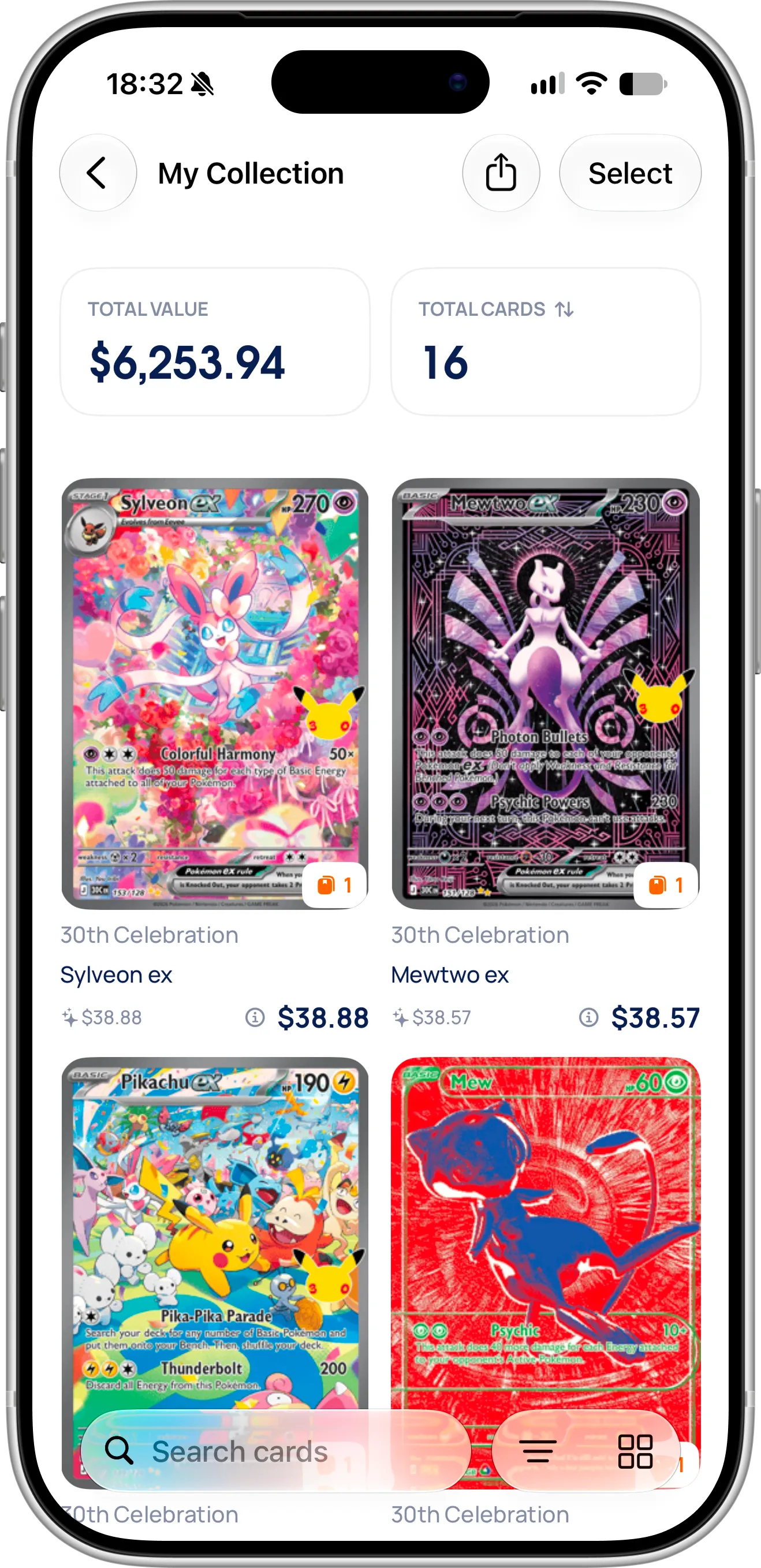
My Collection in EvoScan: the total value of your Pokémon cards and how many you own, with the price of every card.
What Makes a Pokémon Card Valuable?
A card’s value comes down to how many collectors want it and how many copies exist. These are the things that move the price most:
- Rarity: the symbol next to the card number shows it. A circle is common, a diamond is uncommon, a star is rare, and modern sets add special rarities such as illustration rares and special illustration rares.
- The Pokémon: popular Pokémon such as Charizard, Pikachu, Umbreon and Mew sell for much more than others of the same rarity.
- The set and the printing: a first edition or an early print run is usually worth more than a later reprint, even when the card looks almost the same.
- The variant: holo, reverse holo and non-holo versions of the same card often have very different prices.
- Condition: a card with sharp corners, clean edges and no scratches is worth much more than a played one. Graded cards in a slab are priced separately from raw cards.
- Language: Japanese and English printings of the same card are separate markets with their own prices.
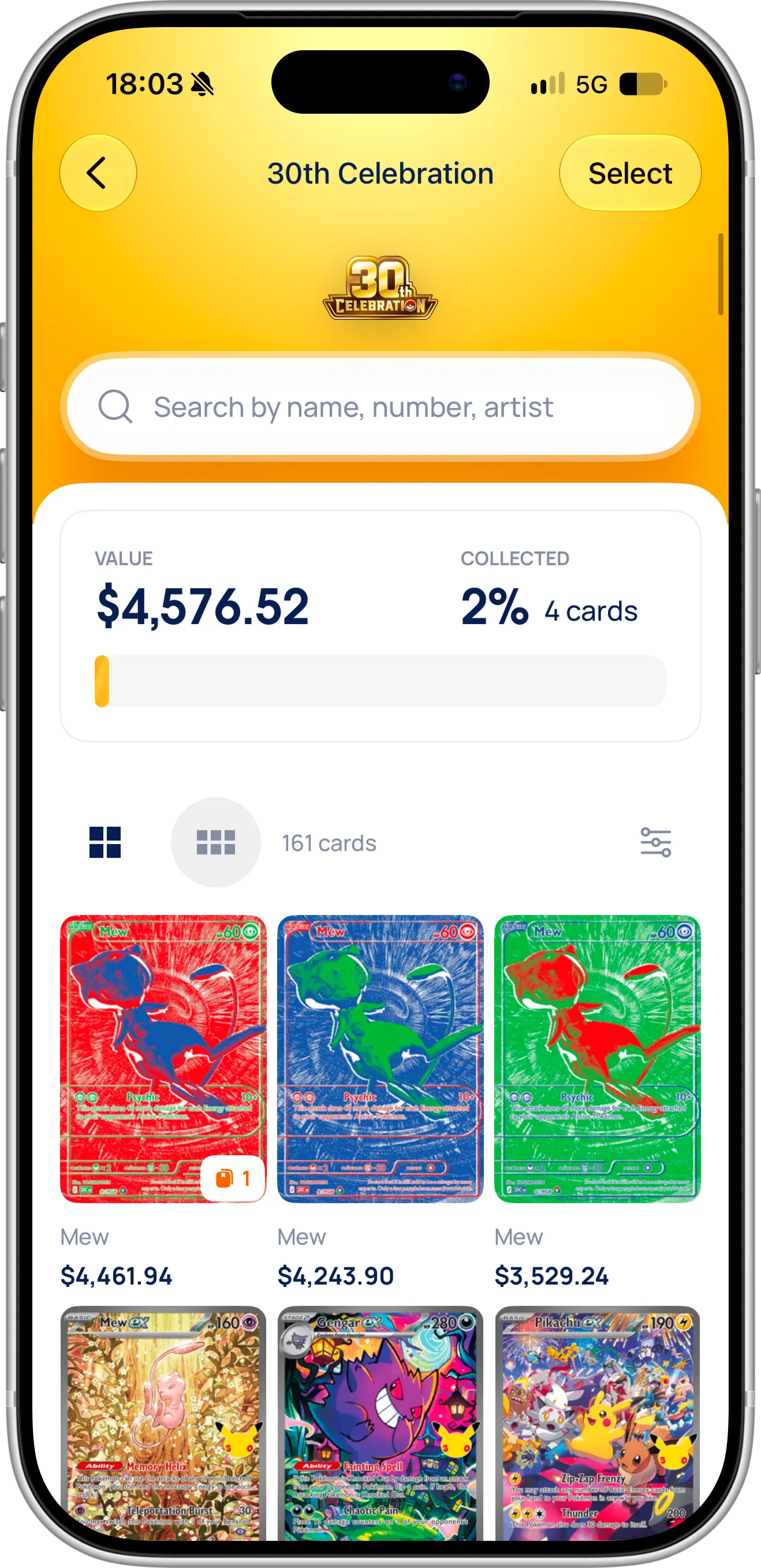
Same set, very different values: in 30th Celebration, three special Mew cards are worth thousands of dollars each, while the next best cards are around $50.
That’s why checking by name alone often gives the wrong answer. You need the exact card, from the exact set, to see its real price.
What You Need Before Getting Started
To check your card values, download the EvoScan Pokémon card scanner from the App Store. It’s free to download and works without an account, on iPhone and iPad with iOS 18 or later. Allow camera access the first time you scan. There’s no currency to set up: EvoScan detects your currency and selects it for you, so prices appear in it from the first scan.
How To Check the Value of a Pokémon Card
Follow these steps to check what a card is worth:
- Tap the scan button at the bottom of the dashboard to open the scanner.
- Hold the card inside the yellow frame, and EvoScan detects it on its own. Or tap the photo button at the bottom left to pick a photo from your library.
- If EvoScan shows several printings, tap the one that matches your card.
- Tap Organize and read the card’s market price on the Scanned Cards screen. If the card comes in several variants, tap the variant under the card and pick the one you hold, so you see the right price.
- Tap Add to Collection to keep the card and include it in your collection value.
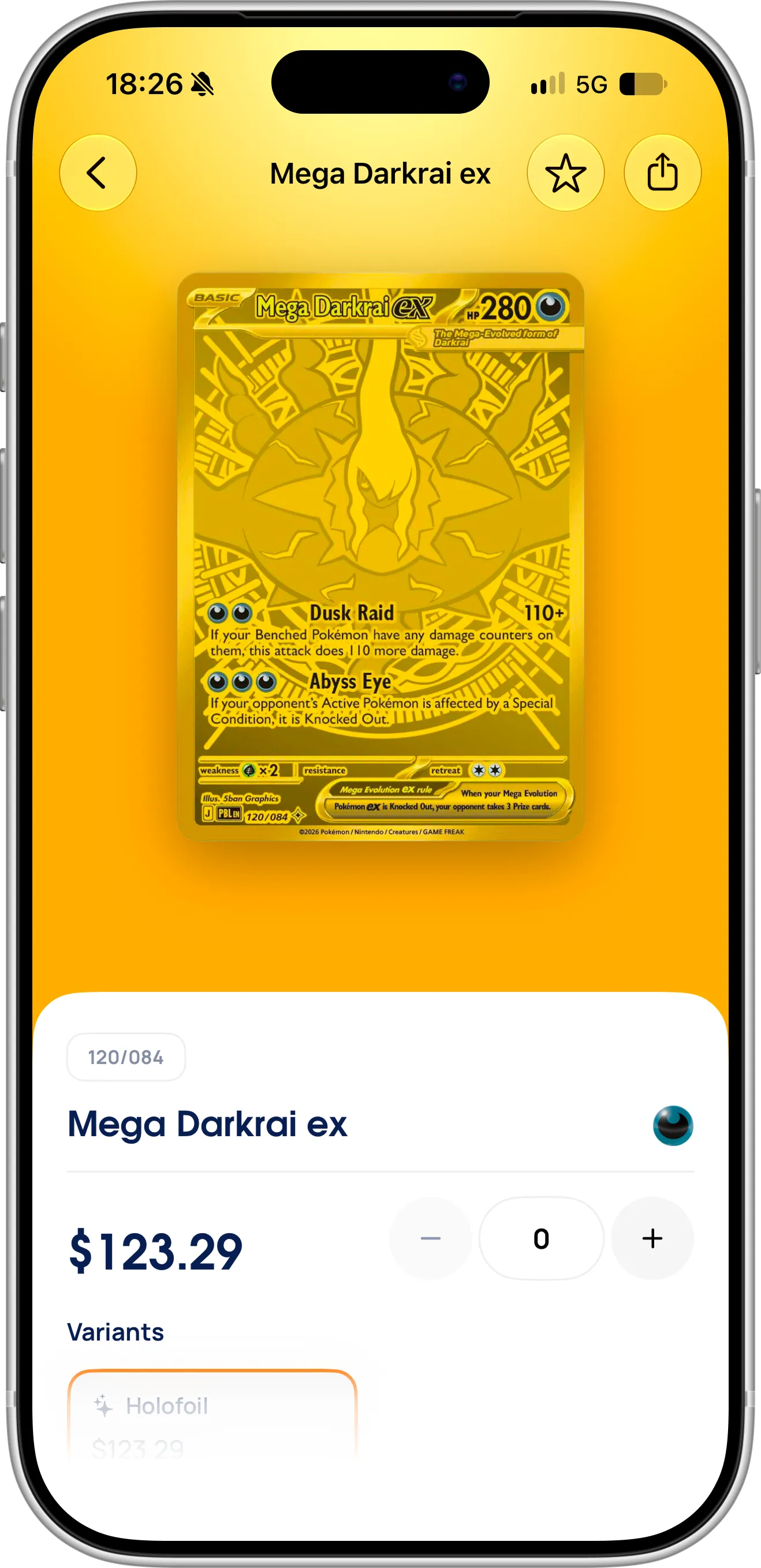
Open any card from your collection, a set or your scan history to see its number, its current price and its variants.
While you scan, the scanner shows a running total of everything you’ve scanned next to the Organize button, and Scanned Cards shows the price of every card and their total value at the top. That makes it a quick way to check a whole stack, a pack you just opened or the cards someone offers you in a trade, before you add anything to your collection.
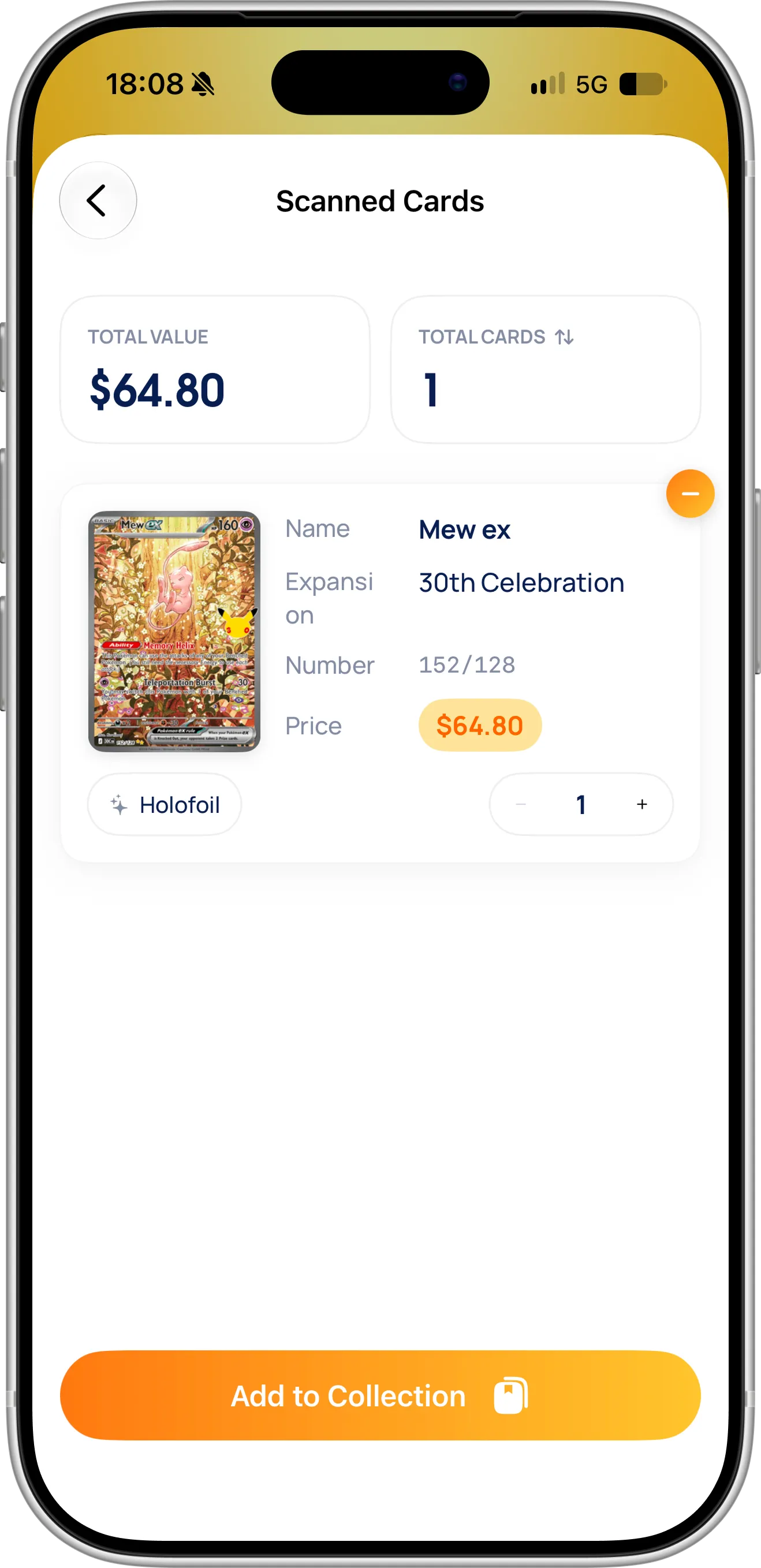
Scanned Cards: the price of each card you scanned and the total value of the batch.
For a step-by-step guide to the scanner itself, including scanning from photos and choosing between printings, see how to scan Pokémon cards with your iPhone.
Where the Prices Come From
Card prices in EvoScan come from TCGplayer, one of the largest marketplaces for Pokémon cards, so they reflect what cards actually sell for, not what sellers hope to get. Prices are updated regularly, and they move with the market: a card can rise after a tournament win or a viral video, and drop when a set is reprinted.
A card can have several variants, such as Holofoil, Reverse Holo or First Edition Holofoil, and each has its own price. The card details list every variant with its price, and a row such as “1 variant · from $123.29” gives the lowest one.
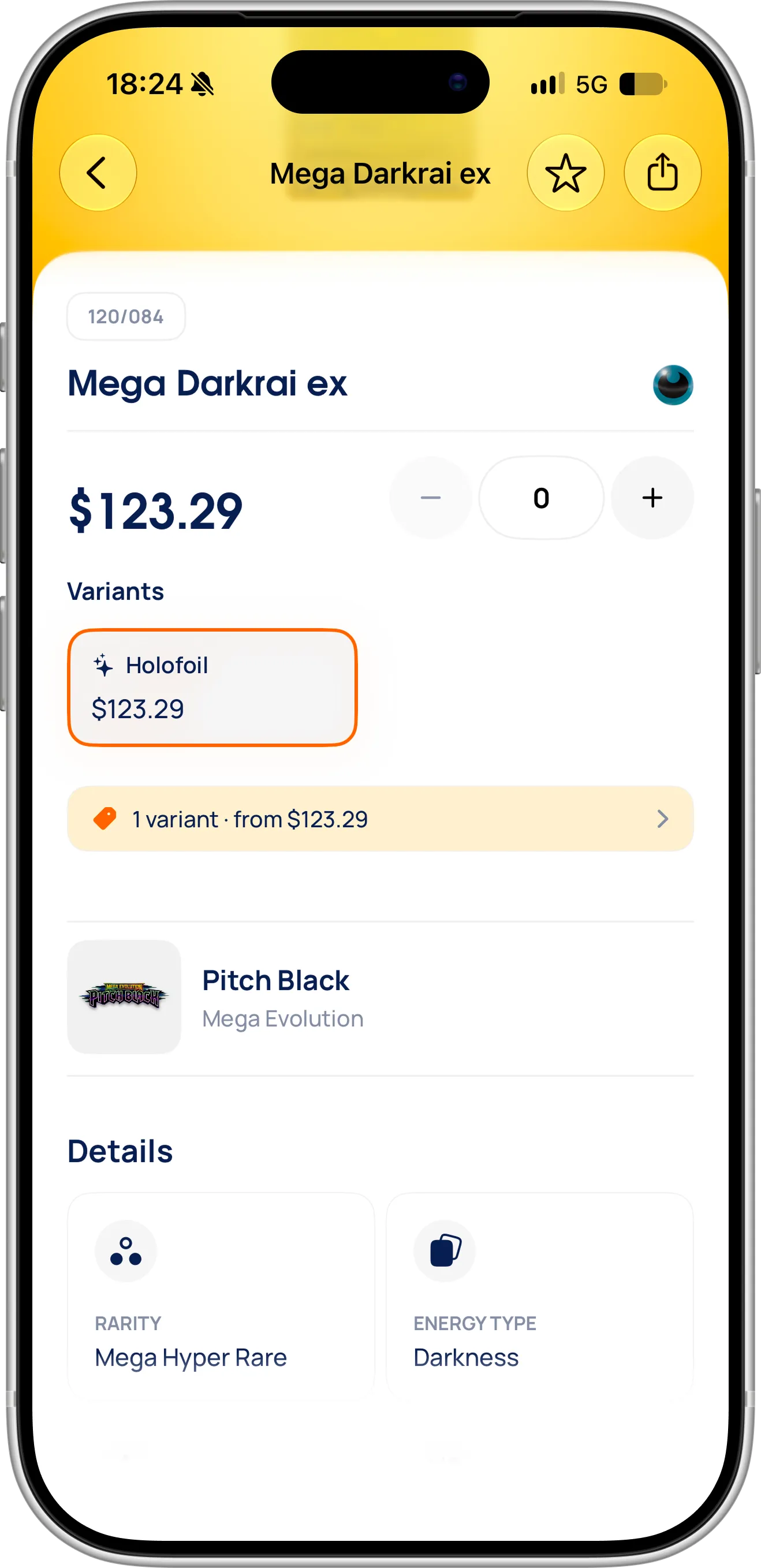
Variants and their prices on the card details, with the card’s set and rarity below.
The Prices screen goes one step further: for each variant, it shows the market price and the lowest listed price by condition, such as Near Mint, for raw cards.
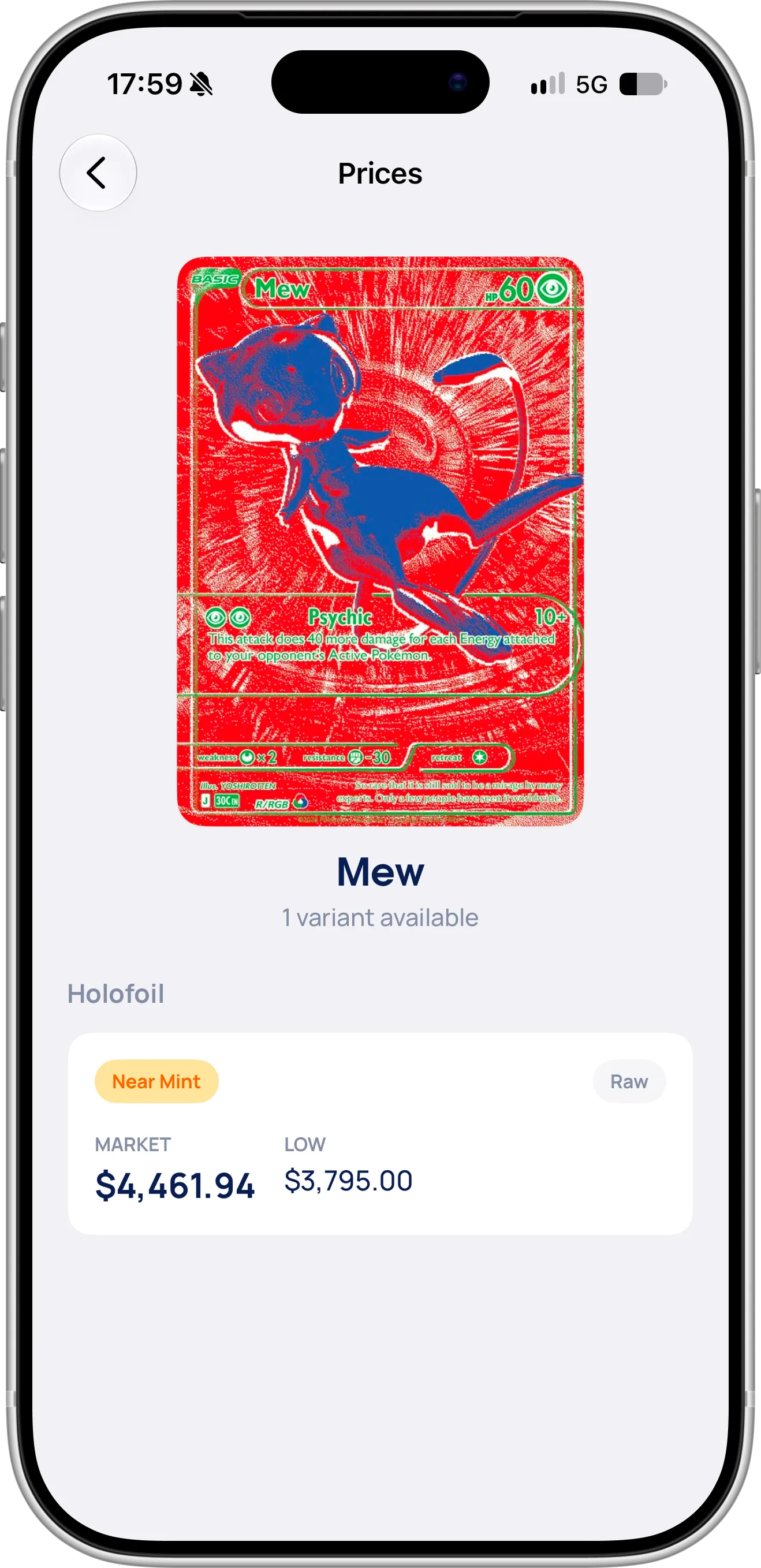
The Prices screen: market and low price for each variant and condition.
Further down the card details, Details lists the card’s rarity, energy type, artist, National Dex number, identifier and release date. Under Price on Other Platforms, you can look the card up on eBay and TCGplayer to compare current listings before you buy or sell.
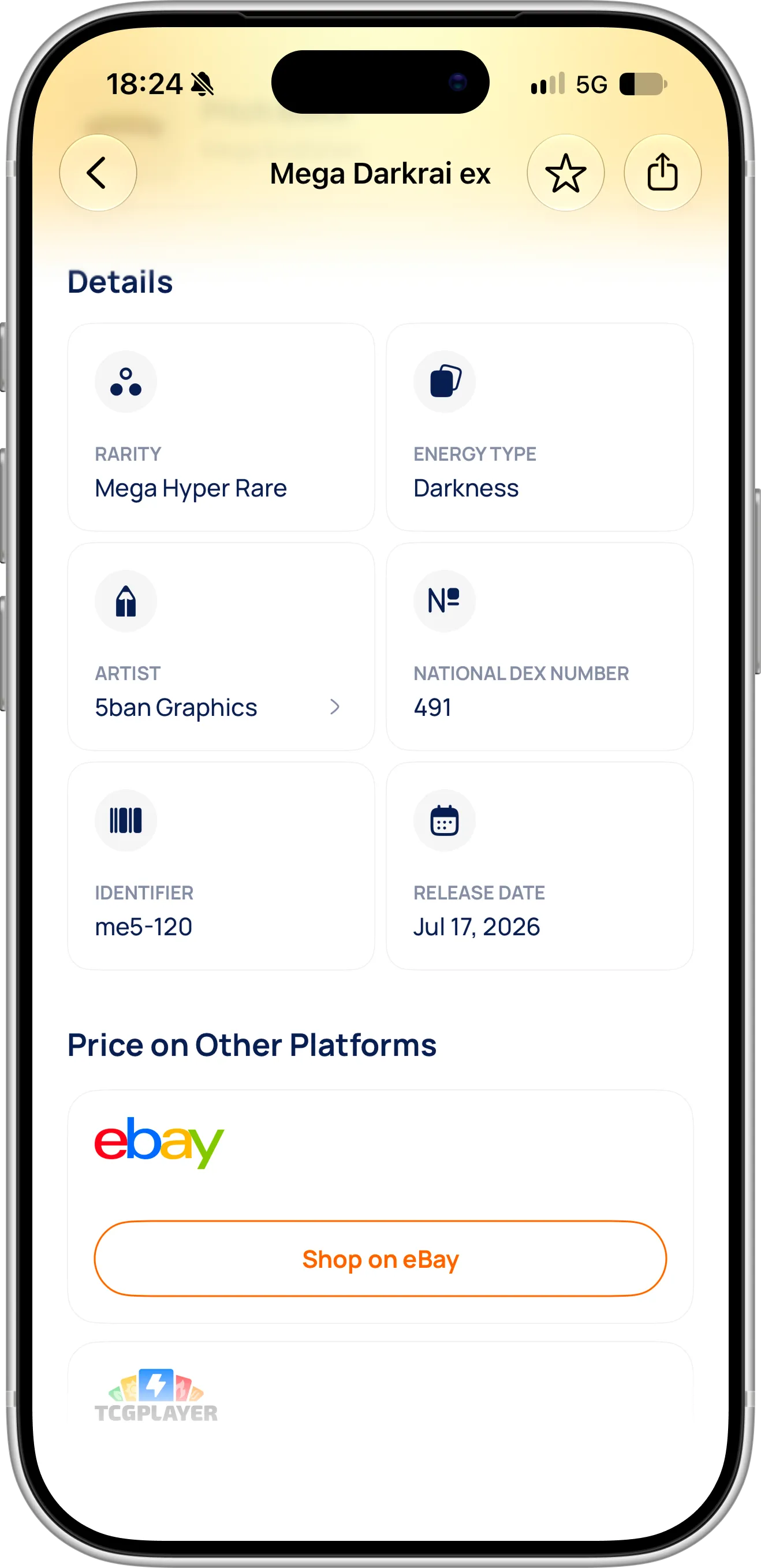
Card details, and links to compare the price on eBay and TCGplayer.
Japanese cards also have prices from the Japanese market, in yen, so cards that are mostly sold in Japan still show a value. A Japanese printing and an English printing of the same card are different cards for collectors and buyers, and EvoScan keeps their prices apart.
Keep in mind that a market price is a guide for a card in good condition. A heavily played card usually sells for less, and a graded gem mint copy for much more. EvoScan also shows what graded copies sell for and how many PSA has graded: see our guide to graded Pokémon card prices and PSA population.
Check the Total Value of Your Collection
Once your cards are in My Collection, EvoScan shows the total number of cards and their total market value at the top of the screen, as in the screenshot at the start of this guide. If you own several copies of a card, each copy counts toward the total.
You can sort your collection by price to find your most valuable cards first. Each set also shows the value of the cards you own from it and how much of the set you’ve collected, which helps you see which sets are worth completing. Our 30th Celebration guide shows what that looks like for a whole set.
To keep a record of your collection outside the app, for example for insurance, a sale or your own spreadsheet, tap the share button at the top of My Collection and choose an export format. CSV opens in Excel, Numbers or Google Sheets, and JSON suits developers and other apps. Favorites can be exported the same way.
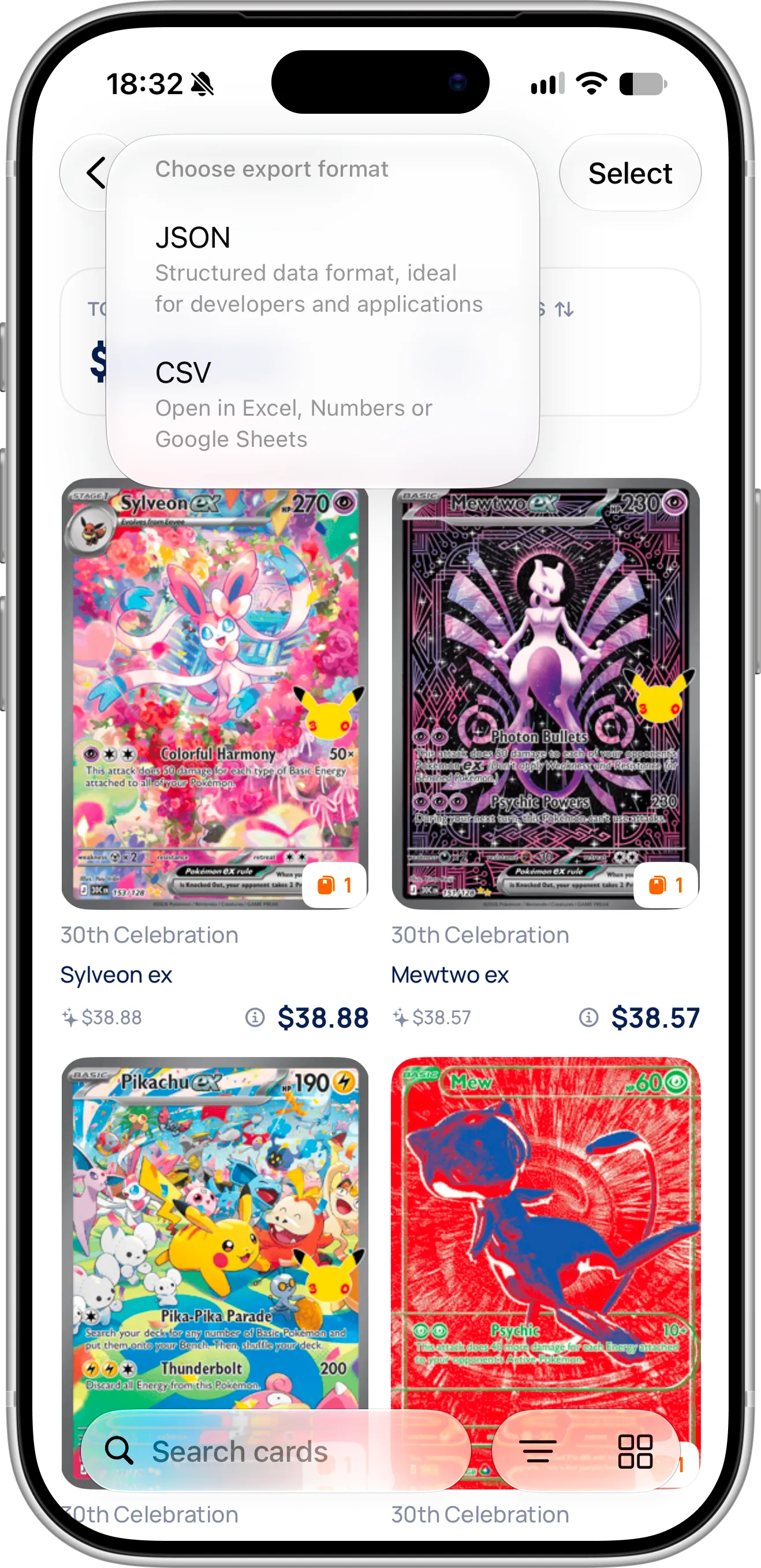
Export your collection as CSV for a spreadsheet, or as JSON for other apps.
See Card Values in Your Local Currency
Pokémon card prices are usually quoted in US dollars or Japanese yen. If you collect in Europe, the UK, Canada, Australia or anywhere else, that means converting every price in your head. EvoScan does it for you. It detects your currency automatically and selects it the first time you open the app, so you don’t have to set anything up. To check it or switch to another one, tap the gear button at the top of the dashboard to open Settings, where you also see the total value and number of cards in your collection, and tap Currency.
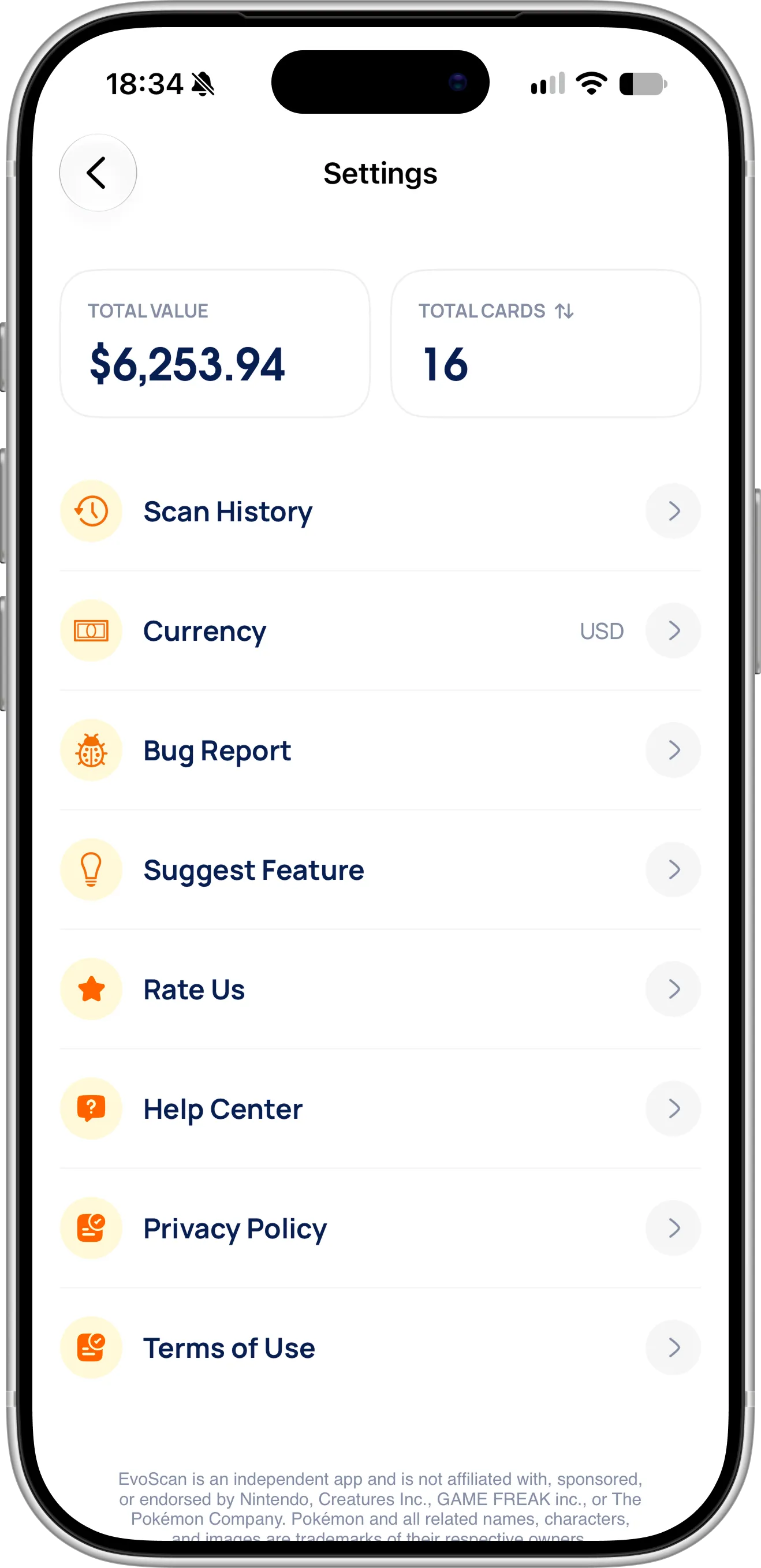
Settings: your collection’s total value at the top, and Currency, which shows the currency EvoScan selected for you.
You can switch to any of 18 currencies, from the Australian, Canadian and Hong Kong dollar to the euro, the British pound, the Swiss franc, the Japanese yen, the Brazilian real and the Polish złoty. Every card price and your collection value then appear in it, converted with daily exchange rates.
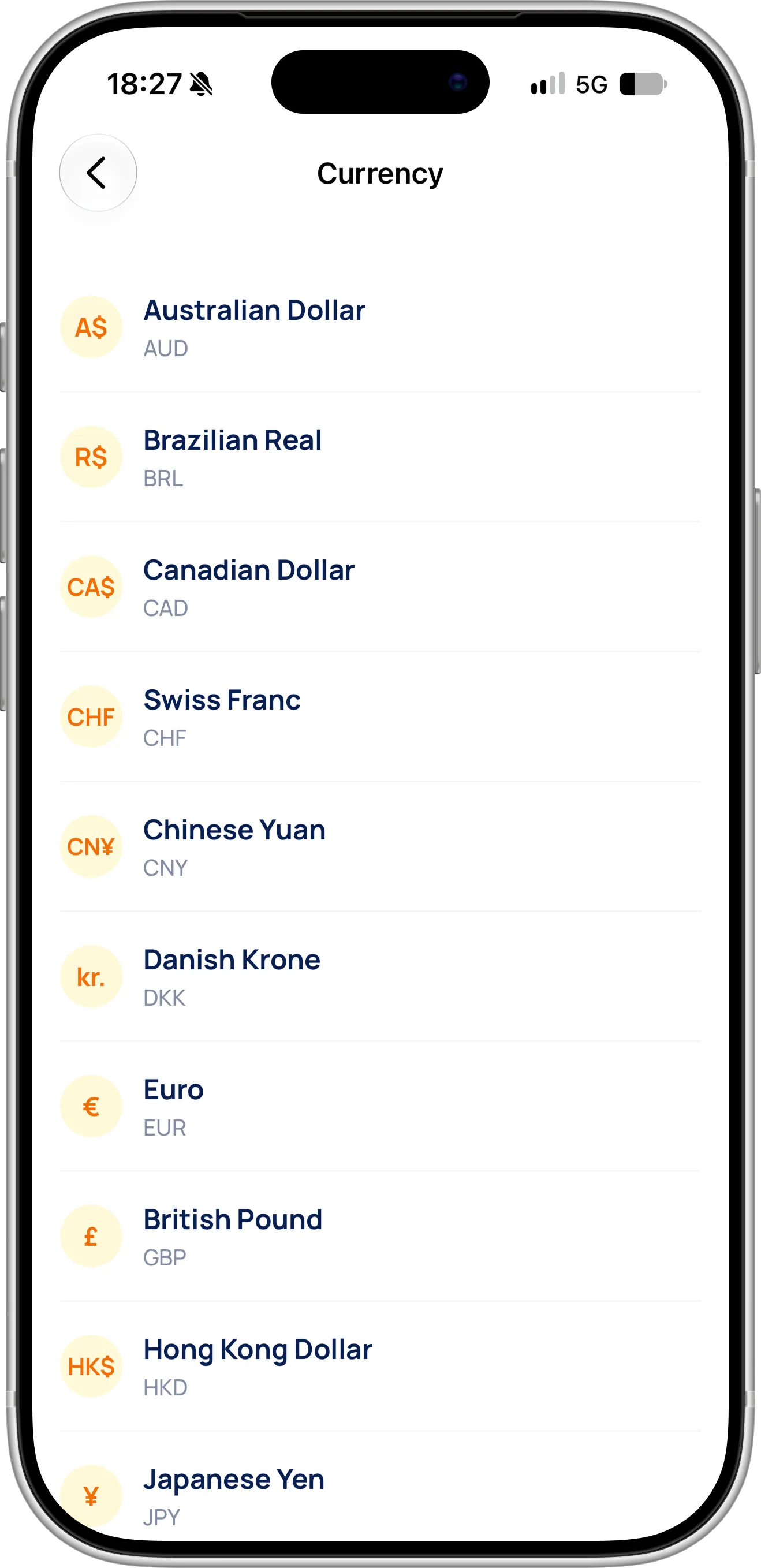
The Currency screen: EvoScan preselects your currency, and you can switch to another one at any time.
Sorting by price works in whichever currency you choose, and cards priced in yen count toward your total just like cards priced in dollars.
Tips for Checking Pokémon Card Values
Scan the card, not the Pokémon. Searching for “Charizard” returns dozens of cards from different sets with very different prices. Scanning reads the card number and the set, so you get the price of the card in your hands.
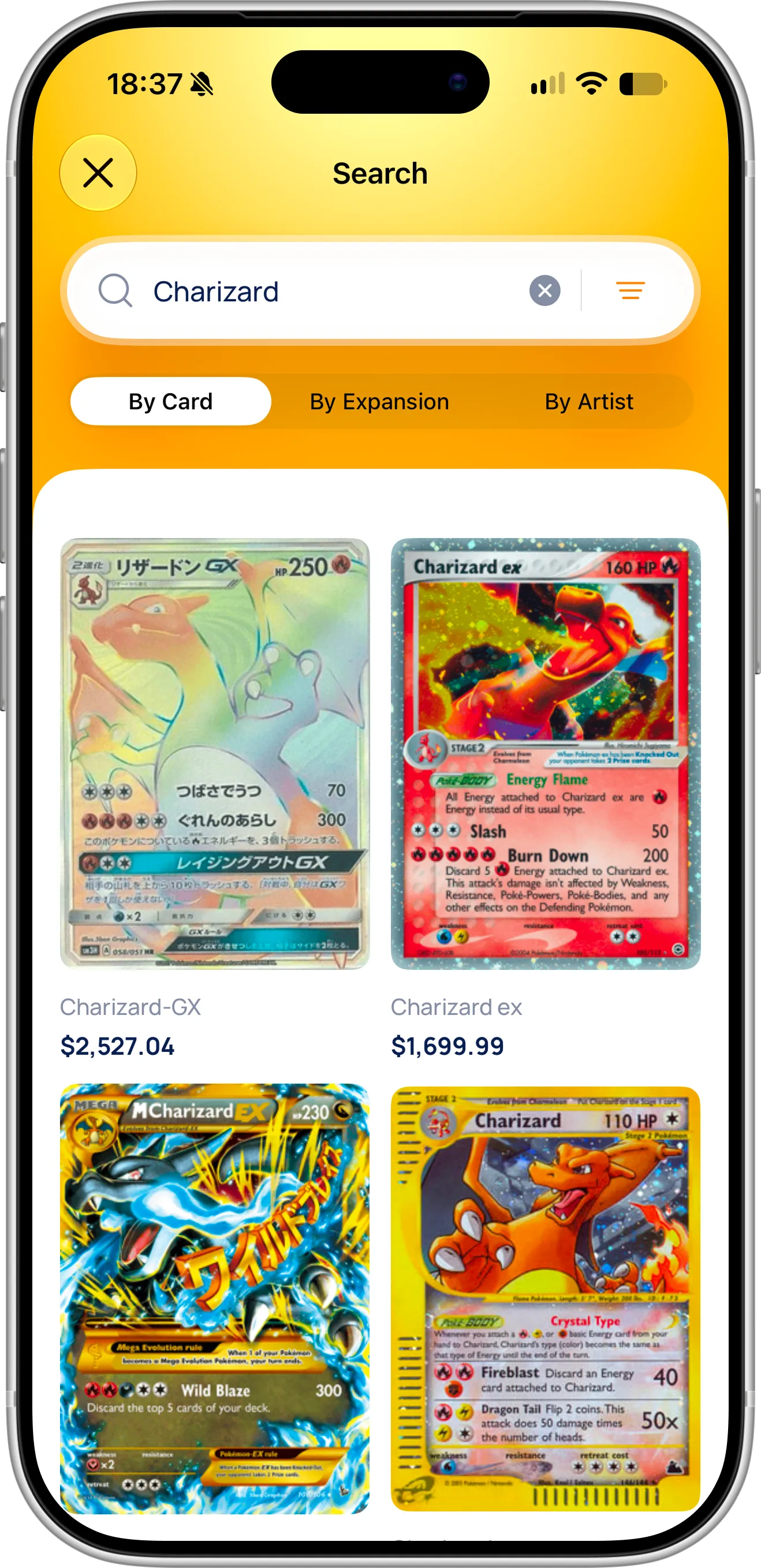
Searching “Charizard” finds dozens of cards, from a few dollars to thousands. Only the card number tells you which one you have.
If you can’t scan a card, search by its printed number, such as 136/135, rather than its name. Search also finds cards by set and by artist, as our guide on how to scan Pokémon cards shows.
Check the variant before you trust a price. If your card is a reverse holo or a first edition, make sure you selected that variant on the Scanned Cards screen, because it can be worth several times the regular one. EvoScan tracks each variant separately, so your collection value stays accurate.
Look at the condition honestly. If you plan to sell or trade, compare your card with the listings on eBay or TCGplayer, which you can open from the card details, and expect less than market price for visible wear. For your most valuable cards, consider professional grading.
Before a trade or a sale, scan both sides of the deal. Checking every card takes a few seconds and helps you make a fair trade without guessing.
Need Help or Have Feedback?
If a price looks wrong, a card is missing a price, or you have ideas for tracking card values, you can always reach out through the contact page. Your feedback helps improve the Pokémon card scanner for every collector.