How to Scan Japanese Pokémon Cards: Identify and Price Any Japanese Card
Can’t read the Japanese on your Pokémon cards? Learn how to scan Japanese Pokémon cards with your iPhone, find the exact card and set, check its price in yen or your own currency, and add it to your collection.

Japanese Pokémon cards are some of the most beautiful cards in the hobby, and often the first to feature new artwork and new mechanics. They’re also the hardest to look up if you don’t read Japanese. Set names, card names and even the rarity codes are different from the English cards, so searching by the Pokémon’s English name rarely finds the exact card you’re holding.
The EvoScan Pokémon card scanner recognizes Japanese Pokémon cards on its own. Point your iPhone camera at a Japanese card, and EvoScan detects that it’s Japanese, matches it against the catalog of Japanese cards and shows the exact card, its set and its current price. You don’t need to read a word of Japanese or change any setting.
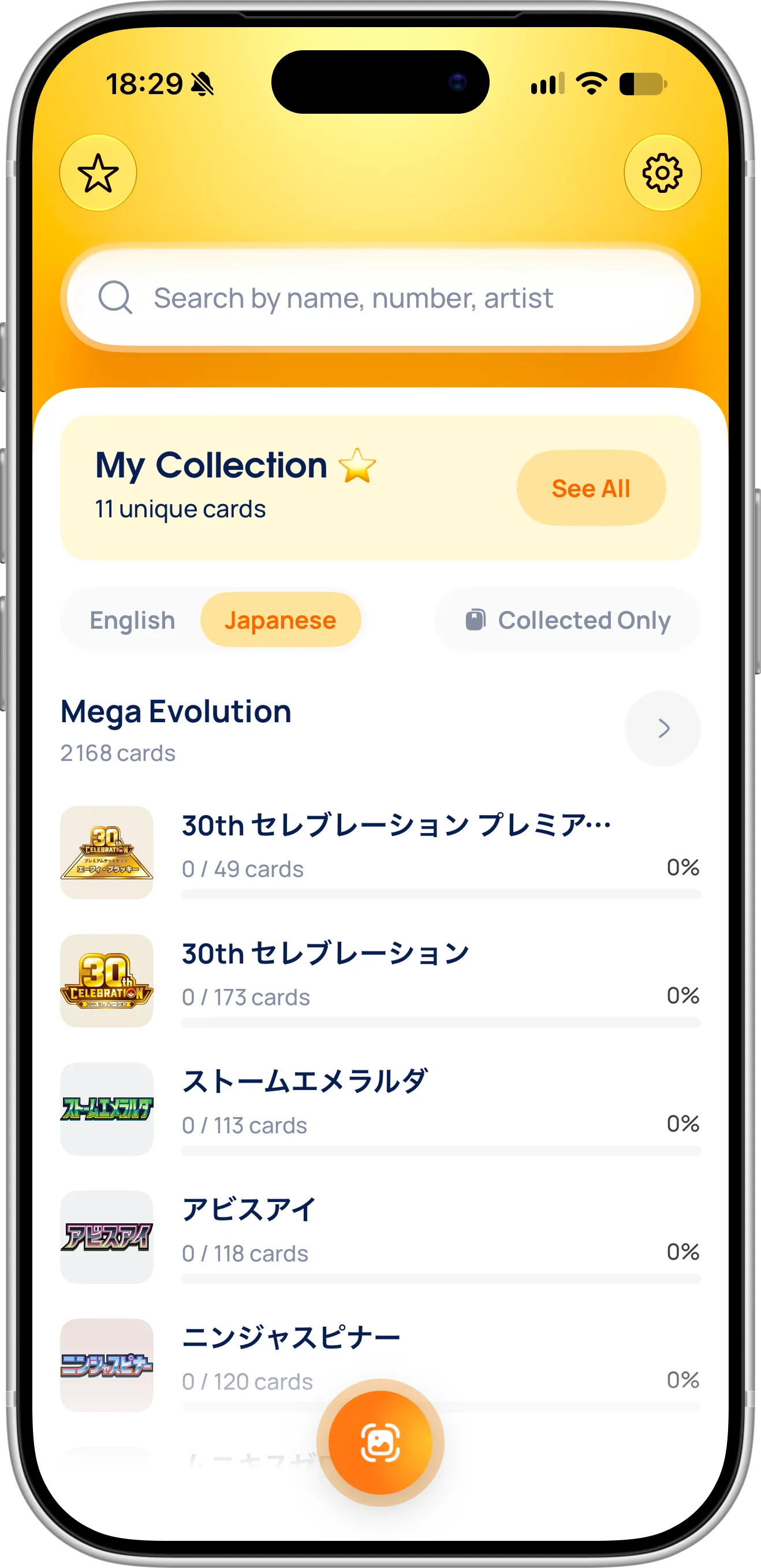
The EvoScan dashboard with Japanese selected: Japanese sets with their own names, and your progress in each.
What You Need Before Getting Started
To scan Japanese Pokémon cards, download the EvoScan Pokémon card scanner from the App Store. It’s free to download and works without an account, on iPhone and iPad with iOS 18 or later. Japanese scanning works in the same scanner as English cards, so there’s nothing extra to turn on. Allow camera access the first time you scan.
How To Scan a Japanese Pokémon Card
Follow these steps to scan a Japanese card:
- Tap the scan button at the bottom of the dashboard to open the scanner.
- Hold the Japanese card in front of the camera, with the whole card inside the yellow frame.
- EvoScan detects the card on its own and reads the name, the HP and the card number. If it doesn’t pick the card up, touch and hold the orange button to help the camera focus on the card.
- The card appears in the bottom corner with the running total of your scanned cards.
- Tap Organize to open your Scanned Cards, then tap Add to Collection to save them.
You can also scan a Japanese card from a photo: tap the photo button at the bottom left of the scanner and pick it from your library. That’s useful when you’re buying online from a Japanese shop or an auction and want to identify a card from the listing before you order it.
Why Japanese Cards Need Their Own Catalog
Japanese and English sets are not the same. Japanese sets are released first, often split or combined differently, and use their own names, such as MEGAドリームex. The same card number can belong to a completely different card in an English set. A Japanese Dustox numbered 195/193, for example, shares its number with an English Tropius.
That’s why EvoScan first tells which language the card is printed in, from the characters on it, and then matches a Japanese card only against Japanese cards. It never swaps in an English card that happens to have the same number, so the card, the set and the price you see belong to the card in your hands.
EvoScan also understands how Japanese cards print their number: with a rarity code next to it, such as AR or SAR, a regulation mark in front of it, or as a promo number such as 001/SV-P.
What You See for a Japanese Card
Scanned Japanese cards go to Scanned Cards with their name as printed in Japanese, set, number, variant and price, just like English ones. When a card comes in more than one variant, tap the variant to pick the one you hold, then tap Add to Collection.
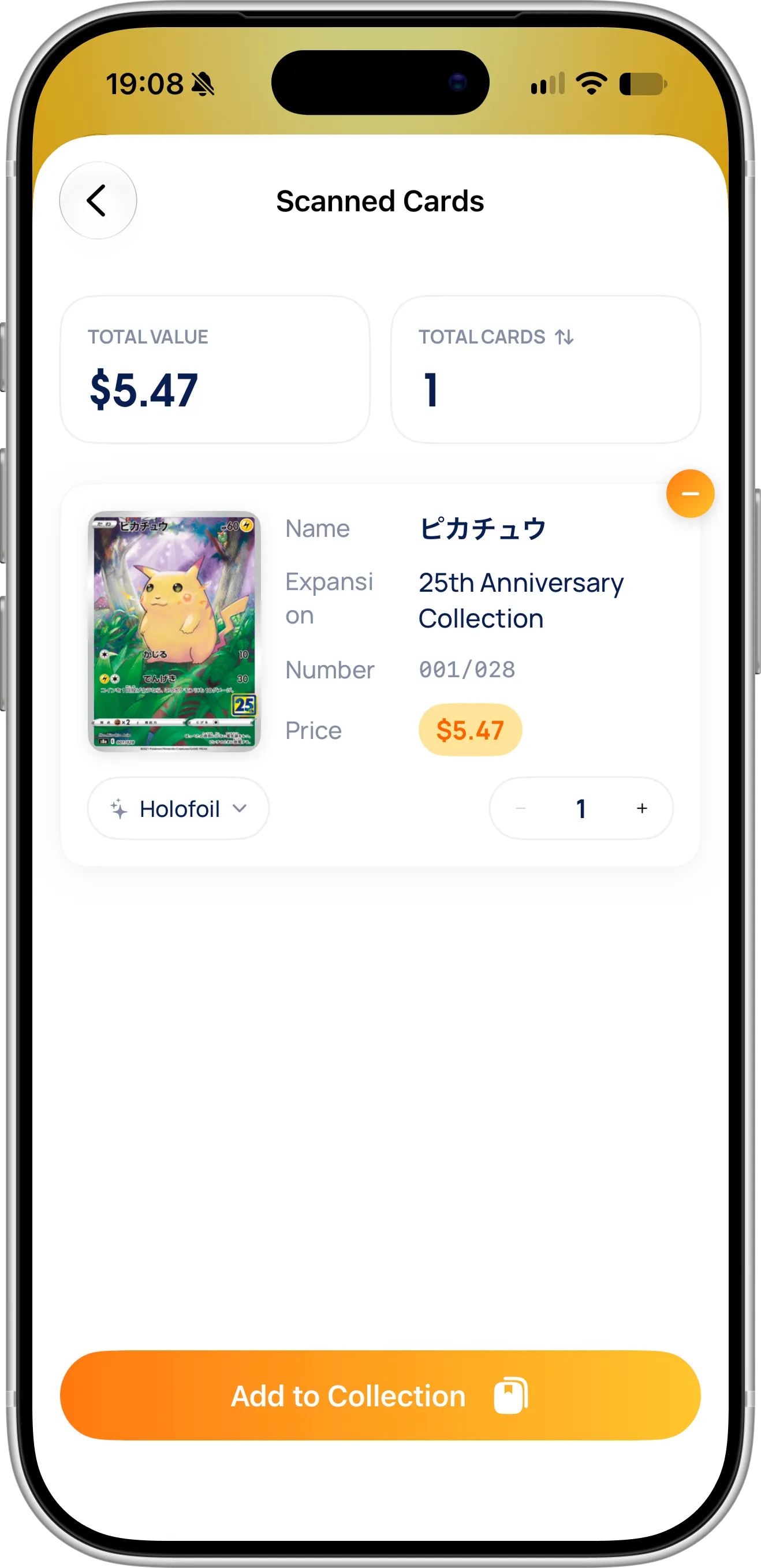
A scanned Japanese card: its Japanese name, set, number, variant and price, ready to add to your collection.
Open a card from your collection, a set or your scan history to see its details: the card image, its number, its name as printed in Japanese, its price and its variants.
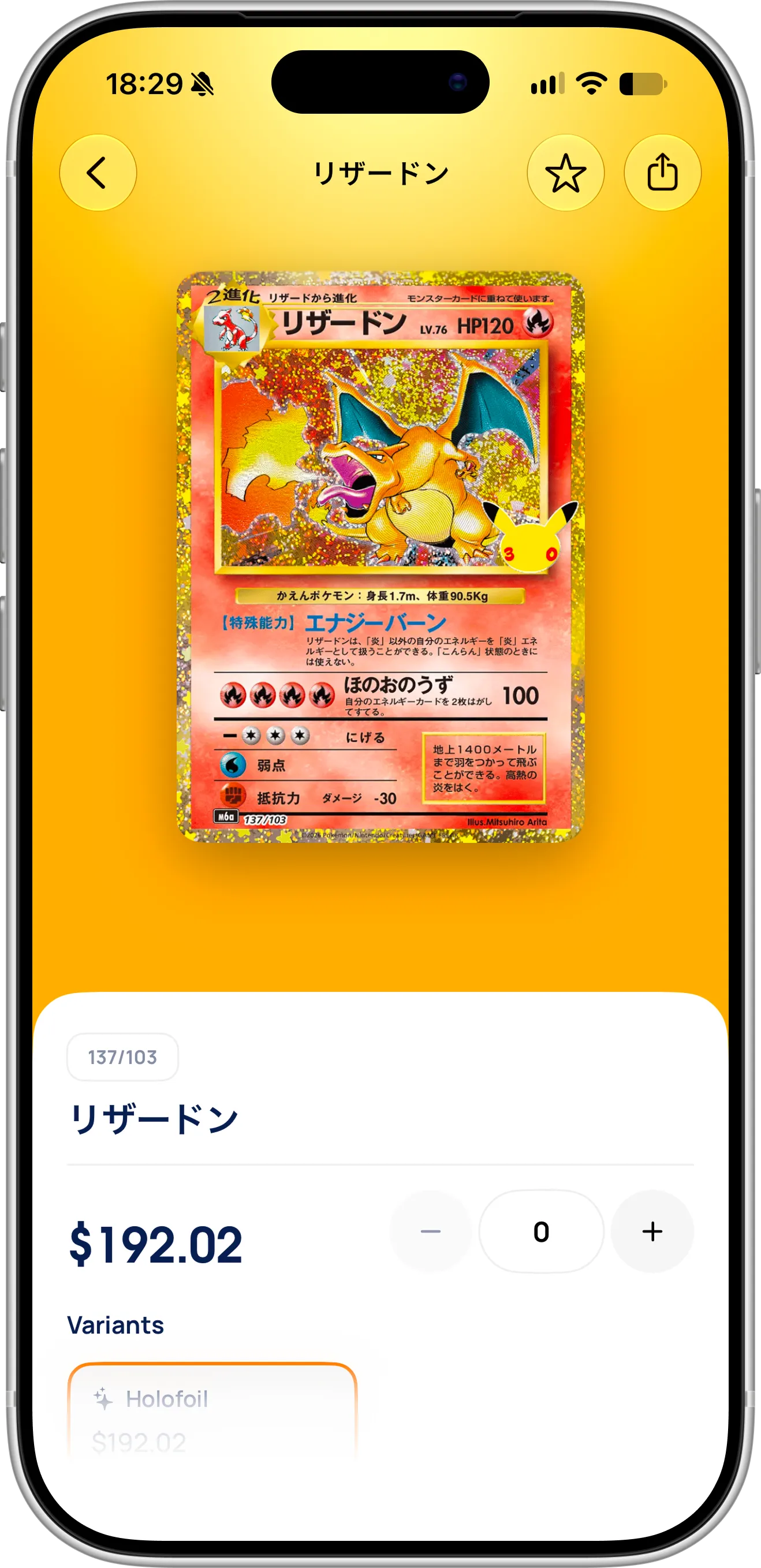
The Japanese Charizard, リザードン 137/103 from 30th セレブレーション, with its price and variants.
Many Japanese cards have two prices: one from the Japanese market, in yen, and one from the US market, in dollars. The Charizard above, for example, was ¥20,000 in Japan and $192.02 in the US in early November 2026. If you show prices in yen, EvoScan uses the Japanese market price. In any other currency, it uses the US price, converted to your currency, and falls back to the yen price when a card has no US price.
The Prices screen shows the market price and the lowest listed price of each variant by condition, the same as for English cards.
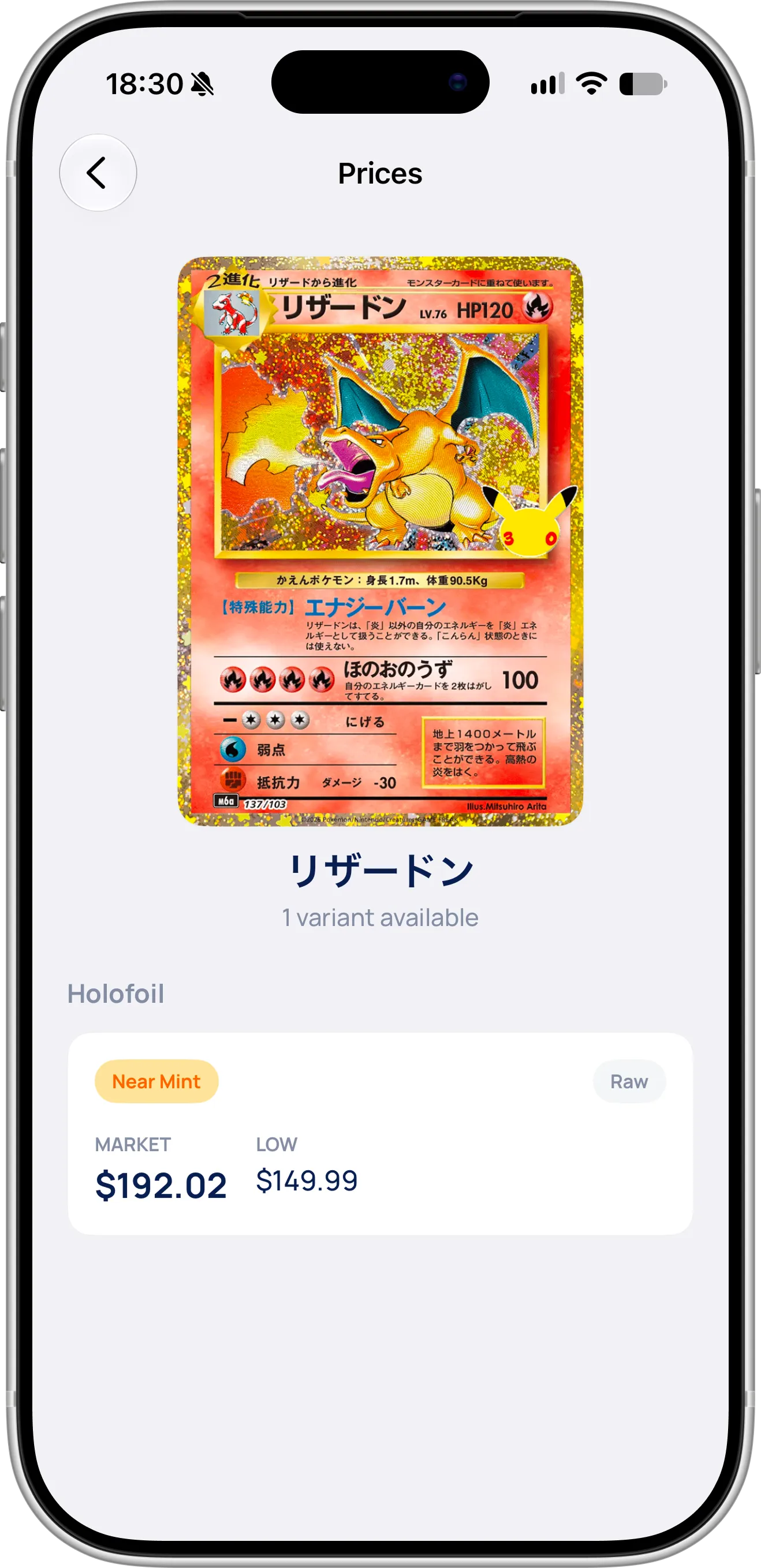
The Prices screen for リザードン: market and low price of a raw, Near Mint Holofoil copy.
EvoScan detects your currency automatically and selects it for you, so if you live in Japan, prices already appear in yen. To switch, for example to yen when you buy from Japan, tap the gear button at the top of the dashboard, open Currency and pick Japanese Yen or another of the 18 supported currencies. EvoScan converts the price of every card and your total collection value with daily exchange rates, so Japanese and English cards add up to one collection value, in one currency.
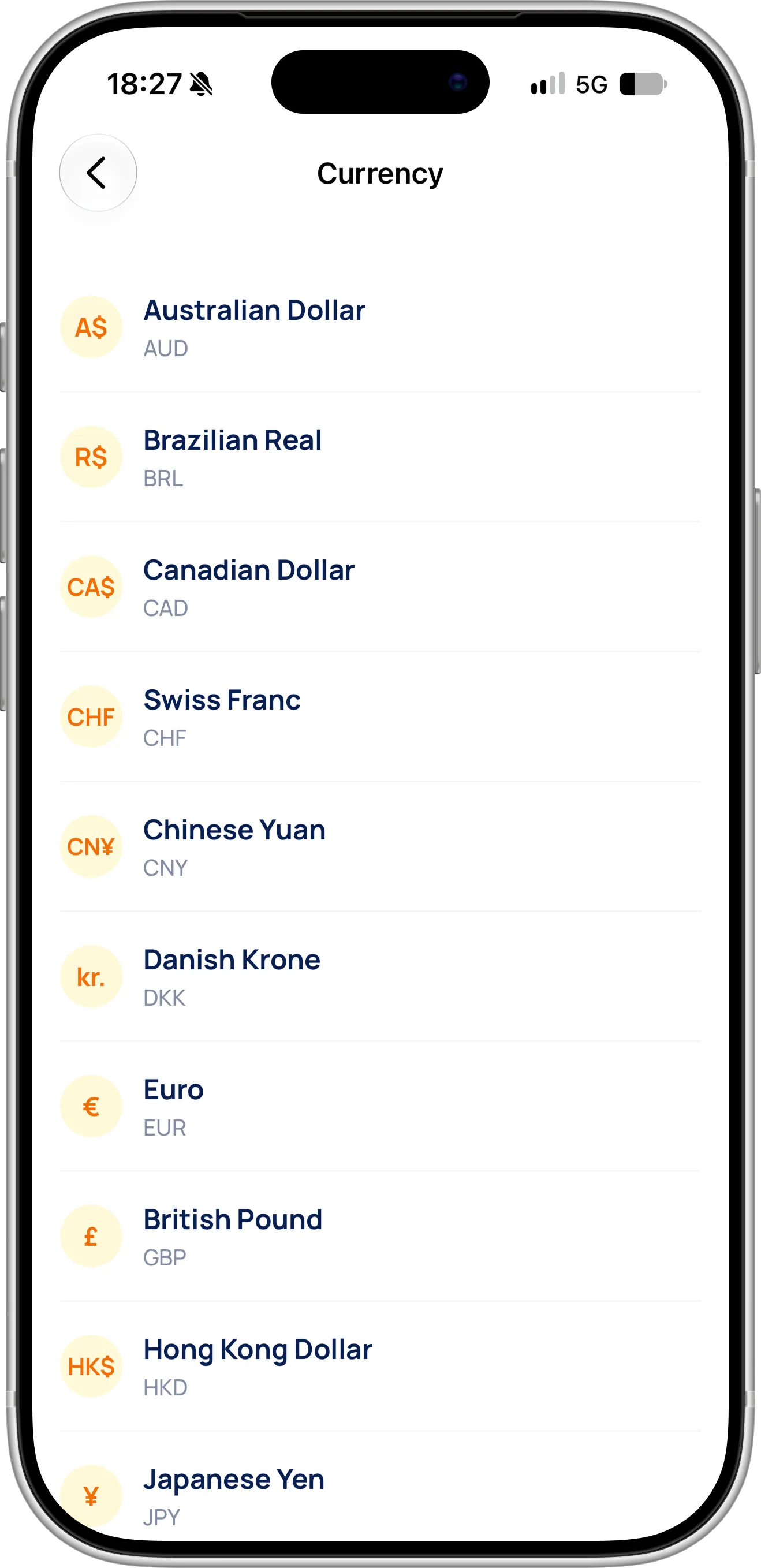
EvoScan preselects your own currency. Switch to Japanese Yen to see Japanese market prices. Our guide on how to check the value of your Pokémon cards explains how prices work in more detail.
Browse Japanese Pokémon Sets
You don’t have to scan to explore Japanese cards. On the dashboard, shown at the top of this guide, switch from English to Japanese to see the Japanese Pokémon sets with their Japanese names, grouped by series, each with your progress. Turn on Collected Only to show just the sets you’ve started.
Tap the arrow next to a series to see all of its Japanese sets on one screen, with the total number of cards in the series and how many you’ve collected. Japanese series also include special products that have no English version, such as premium deck sets and trainer boxes, and Search expansions finds a set by name.
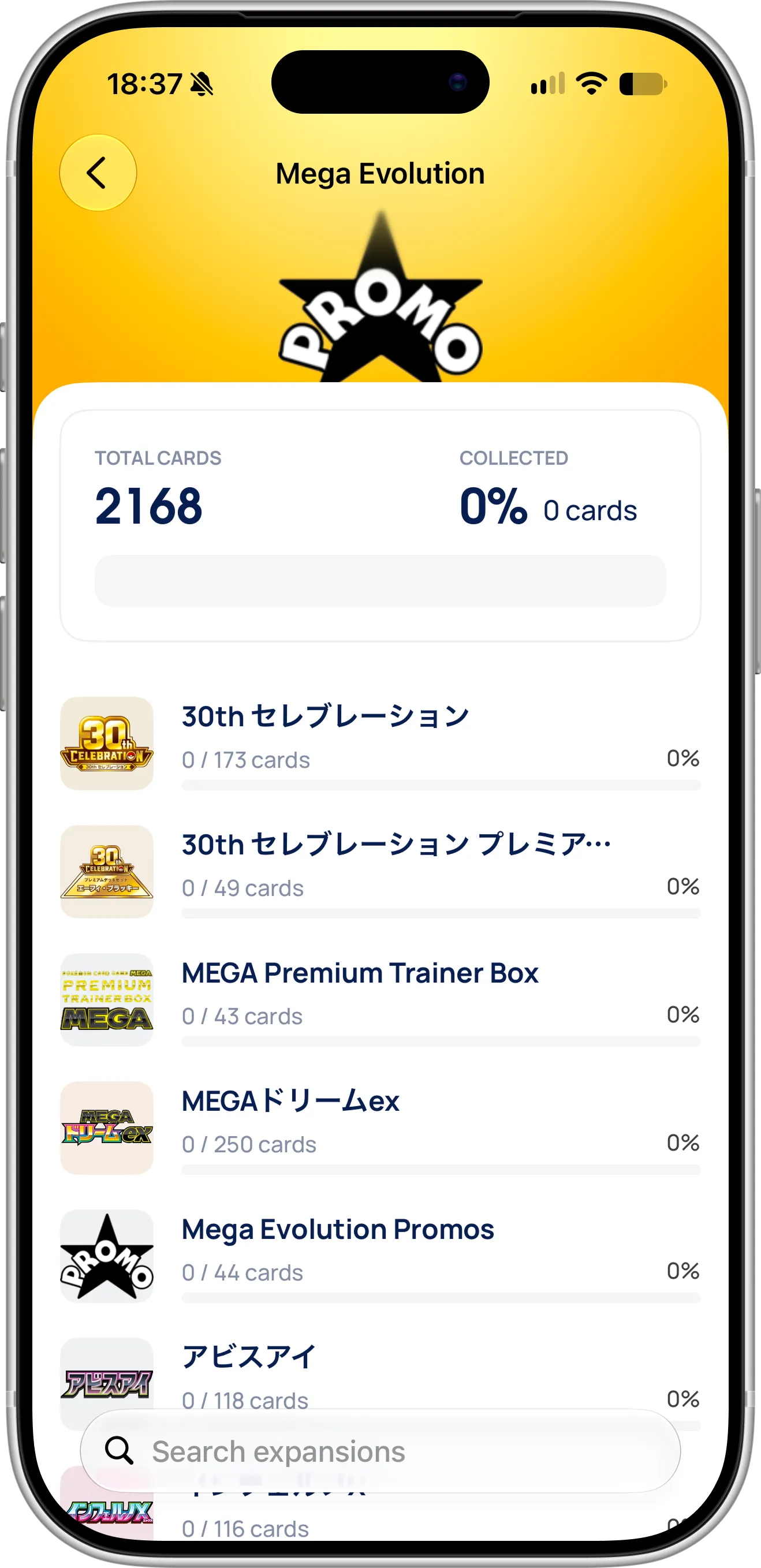
A Japanese series with all its sets, promos and special products, and your progress in each.
Open any set to browse its cards, sort them by price, see which ones you already own and track your progress toward completing it. Japanese sets often differ from their English versions. The Japanese 30th セレブレーション, for example, has 173 cards, while the English 30th Celebration has 161, and its reprints of classic cards such as Charizard and Lugia are part of the main set. Our 30th Celebration guide covers the English set.
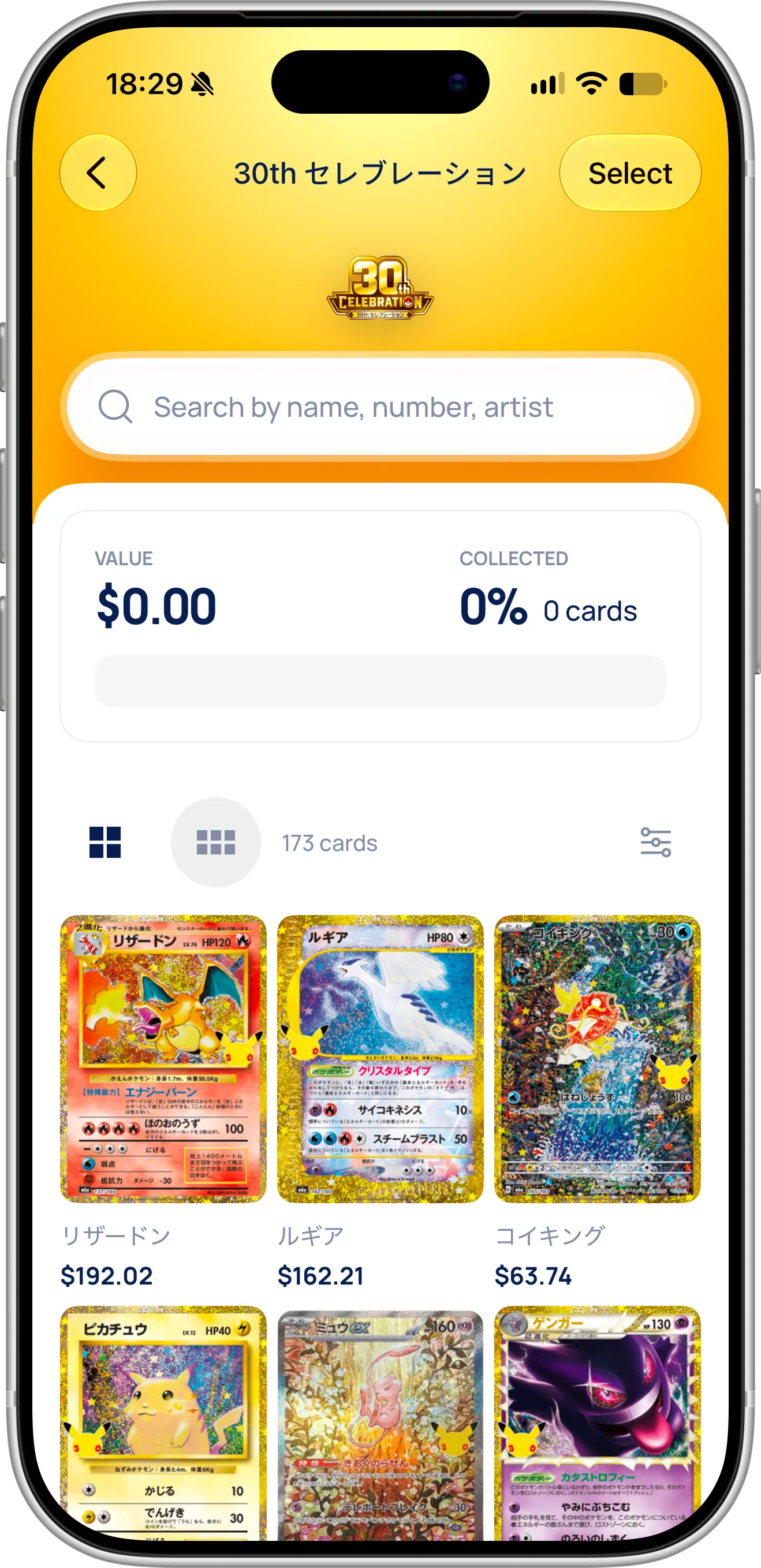
The Japanese 30th セレブレーション: 173 cards, with reprints of Charizard, Lugia and Magikarp among the most valuable.
Tips for Scanning Japanese Pokémon Cards
The card number matters even more on Japanese cards. It sits just above the copyright line at the bottom left, together with the rarity code, so make sure the bottom of the card is in the frame. If the scanner shows a few possible cards, the number is usually what was cut off or covered by glare.
Japanese names are hard to type if you don’t read Japanese, so when a card won’t scan, search by its printed number instead. Typing 137/103, for example, finds the Japanese Charizard from 30th セレブレーション. You can also search by the artist’s name, which is printed in English on Japanese cards, such as Mitsuhiro Arita.
Japanese cards use thinner text and many have glossy, textured or full art surfaces. Scan in soft, even light and tilt the card slightly to remove reflections from the name and the number. For cards behind a scratched sleeve or a thick top loader, take them out or scan them from a sharp photo.
If you collect both languages, scan them in the same session. EvoScan detects the language for each card, so you can mix English and Japanese cards in one pile. For general scanning tips, such as choosing between printings and scanning from photos, read how to scan Pokémon cards with your iPhone.
Troubleshooting
If a Japanese card isn’t recognized, check these common causes:
- The bottom of the card is cut off. The card number and the rarity code are needed to tell similar cards apart.
- There’s glare on the card name. Tilt the card or move away from direct light.
- The card is very new. Japanese sets are added to the catalog shortly after release; until then, check back after the next update.
- The card is a Korean, Chinese or other Asian-language printing. EvoScan matches English and Japanese cards; other languages may not be found.
Need Help or Have Feedback?
If you run into any issues, find a Japanese card that doesn’t scan, or have ideas for Japanese collectors, you can always reach out through the contact page. Your feedback helps improve the Pokémon card scanner for every collector.